I am reaching out because I am unable to launch InstaLOD Studio (Pioneer Edition) after a fresh Windows format and reinstallation.
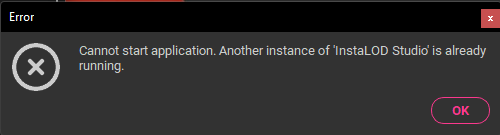
The Problem: Every time I try to launch the application, I get the error message: “Another instance of InstaLOD is already running. Please close it before starting a new one.”
What I have already tried:
Verified via Task Manager that no InstaLOD.exe or related processes are running.
Cleared all local folders in %AppData%, %LocalAppData%, and %Temp%.
Performed a clean uninstallation and reinstallation.
Restarted the system multiple times.
Suspected Cause: Since I recently formatted my PC, I suspect my Pioneer License Seat is still “locked” or “active” on the previous OS instance, and the software is misinterpreting the licensing conflict as a concurrent running instance.
Could you please manually reset/deactivate my active seats or clear any ghost sessions associated with my account so I can perform a fresh activation?
Dude, When i try to unwrap with your system (on YT) it doesn’t work with element graph who if i have understand is an element from instalod. I imagine it’s because instamat is working and not instalod, so your software freeze and i need to kill the task. It could be a pleasure to use it, but for the first week it’s a pain for me - often like other software
 - often like other software