Hi,
I don’t know if it’s been requested on Discord.
Undockable side panels would be nice to put them on second displays, especially with nodes.
Thanks!
Hello @tractbsa,
This is already possible, just click on this button in the top left menu:

Hope that helps!
1 Like
Oh! Thank you @debe !
2 Likes
Hi @debe ,
I see this is only possible with left panels. I think it would be useful to be able to move right side panels to another screen as well, so one can also have the Element graph and the Viewport window on one screen and the node-specific right panel on the secondary display. In my specific case, the most important reason apart from having more space, is that I have a much more color accurate display as the main display, and therefore it’s much better to keep the 3D Viewport window on that screen, together with the graph.
All the best!
Hi @tractbsa,
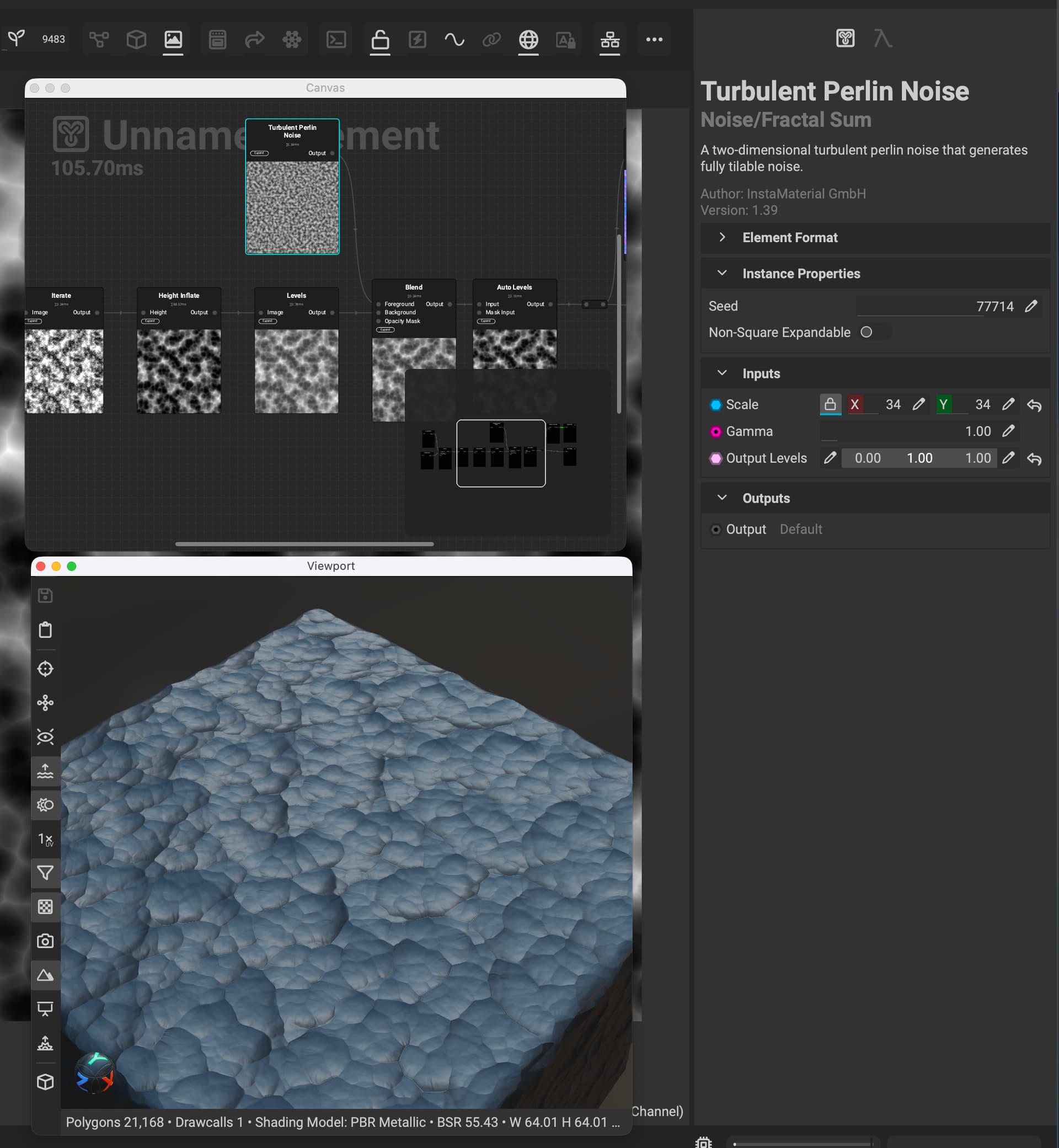
Perhaps this can help. If you press Alt/Option + C, which changes the central view in InstaMAT Studio’s UI, you can switch which views appear in the detached panels. For example, here I have the graph and the viewport as separate panels, and then I can put the parameters on another screen.
Let me know if this helps or if you have any other questions! 
2 Likes
Hi @Pixby ,
Thank you!!
That helps a lot, at least as a workaround. Is there a way to save such a UI-layout?
You’re welcome @tractbsa!
As of right now it’s not possible to save UI layouts, however that sounds like a good candidate for a feature request in the Feature Requests category.
Thanks!
1 Like
Hi Pixby! Happy to hear it might be implemented in the future. Hopefully undocking of right side panels from the main workspace might be there at some point as well.
1 Like