Problem
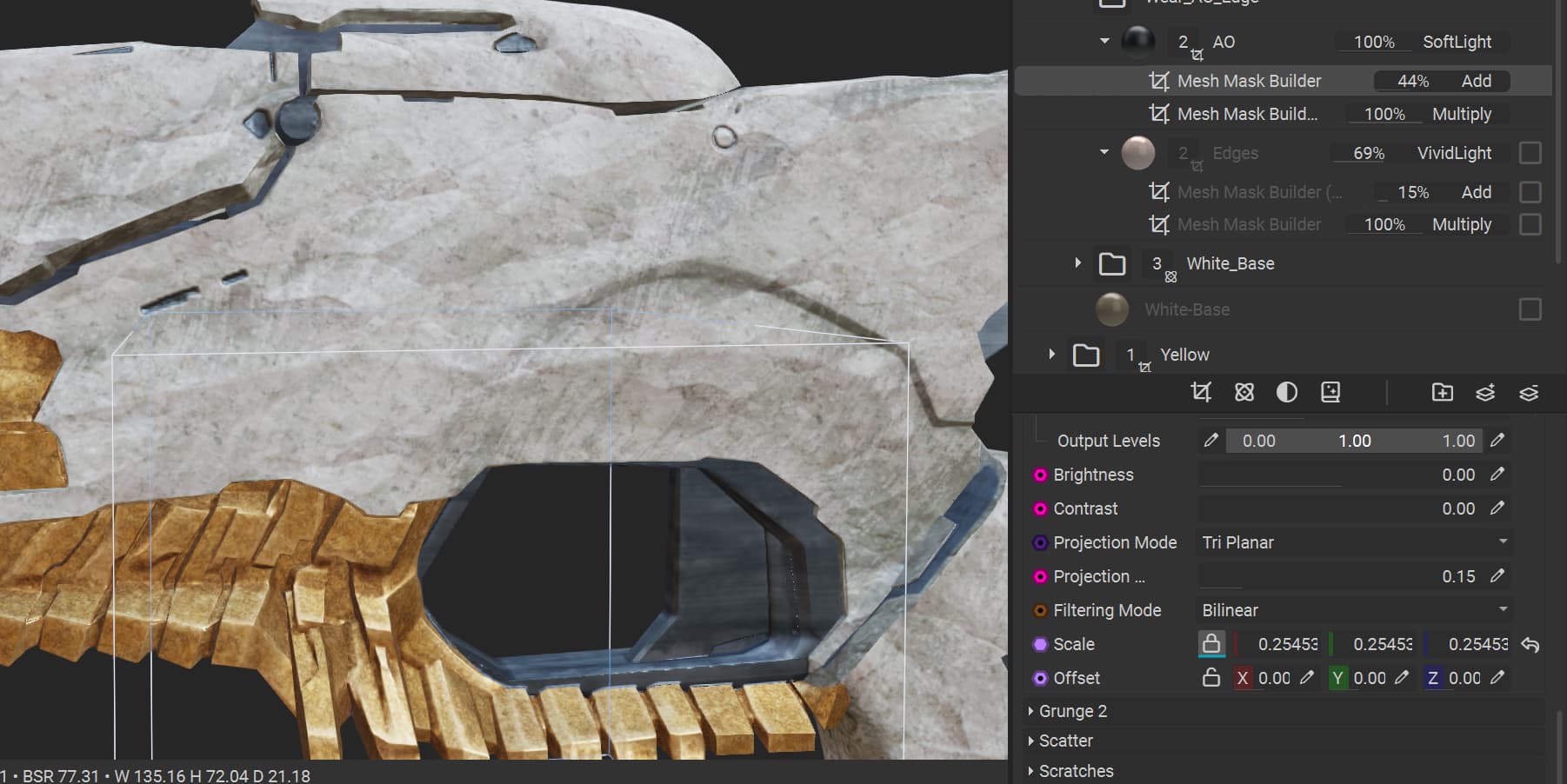
i want to rotate this grunge but there is not a way to rotate it
Workaround
add it as a separate project mask
i want to rotate this grunge but there is not a way to rotate it
add it as a separate project mask
Hello @HoH,
Indeed as an alternative you could create a separate Mesh Projection Mask and provide the Swipes and Wipes grunge as the input.
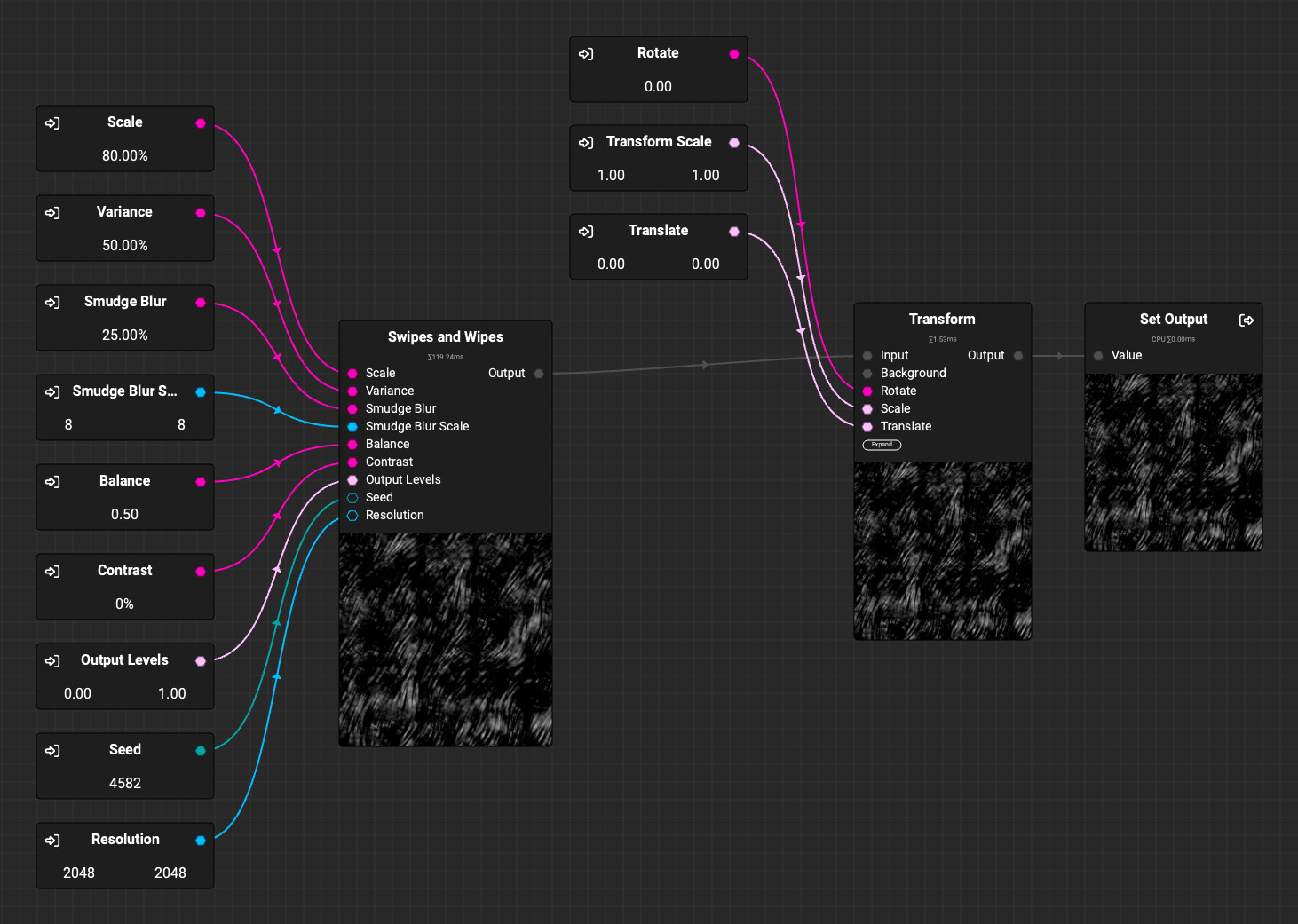
You could also create your own node that exposes a Transform node’s rotation parameter and use it as a grunge for the Mesh Mask Builder. Here’s an example:
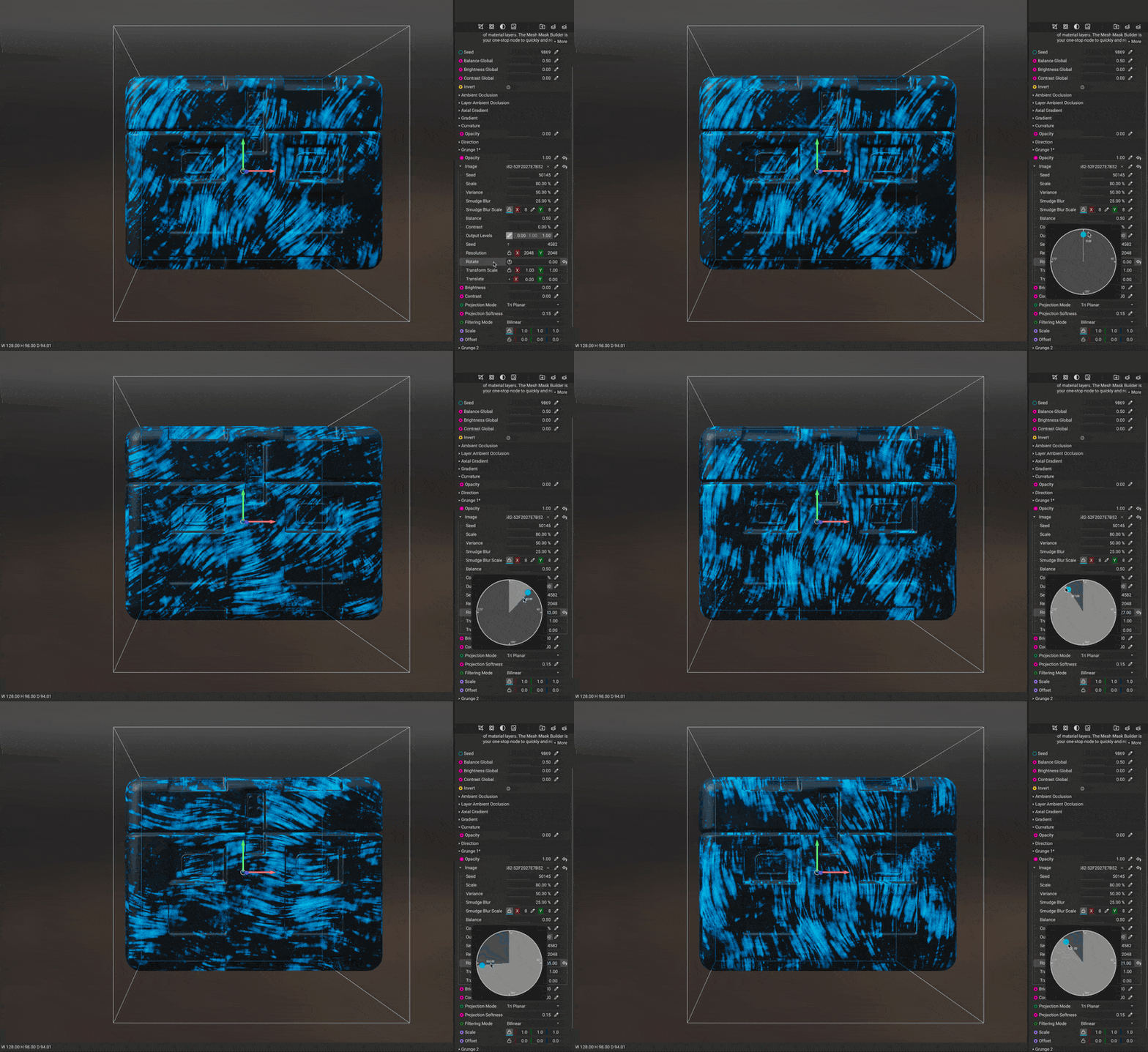
Hope this helps! 
Thanks!