Hello,
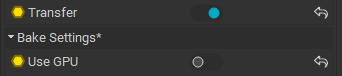
I’m trying to transfer texture maps from the high res models I made in Marvelous Designer, onto the low res ones I made in Blender. They have different UV maps. All of the InstaMat documentation I can find appears to be out of date. The suggested method of using Mesh Bake with a Transfer output cannot work as there is no longer a Transfer output available. I’ve found some other nodes which are named like they might be the new way to do it, but cannot find documentation on anything, and cannot figure it out myself. Any help here would really be appreciated. Thanks.