Exporting a quadrified mesh with textures from InstsaMAT

Hi everyone,

I have a question about importing and exporting meshes. Does InstaMAT automatically triangulate meshes when they are imported?

I would like to continue using the meshes that I have UV unwrapped and textured in InstaMAT alongside my quadrified original mesh in Blender.

Will it be possible to work with the original quadrified mesh structure in InstaMAT without it being triangulated automatically in the future?

I look forward to your reply.

Hello @ZUMMARS, and welcome to our communty!

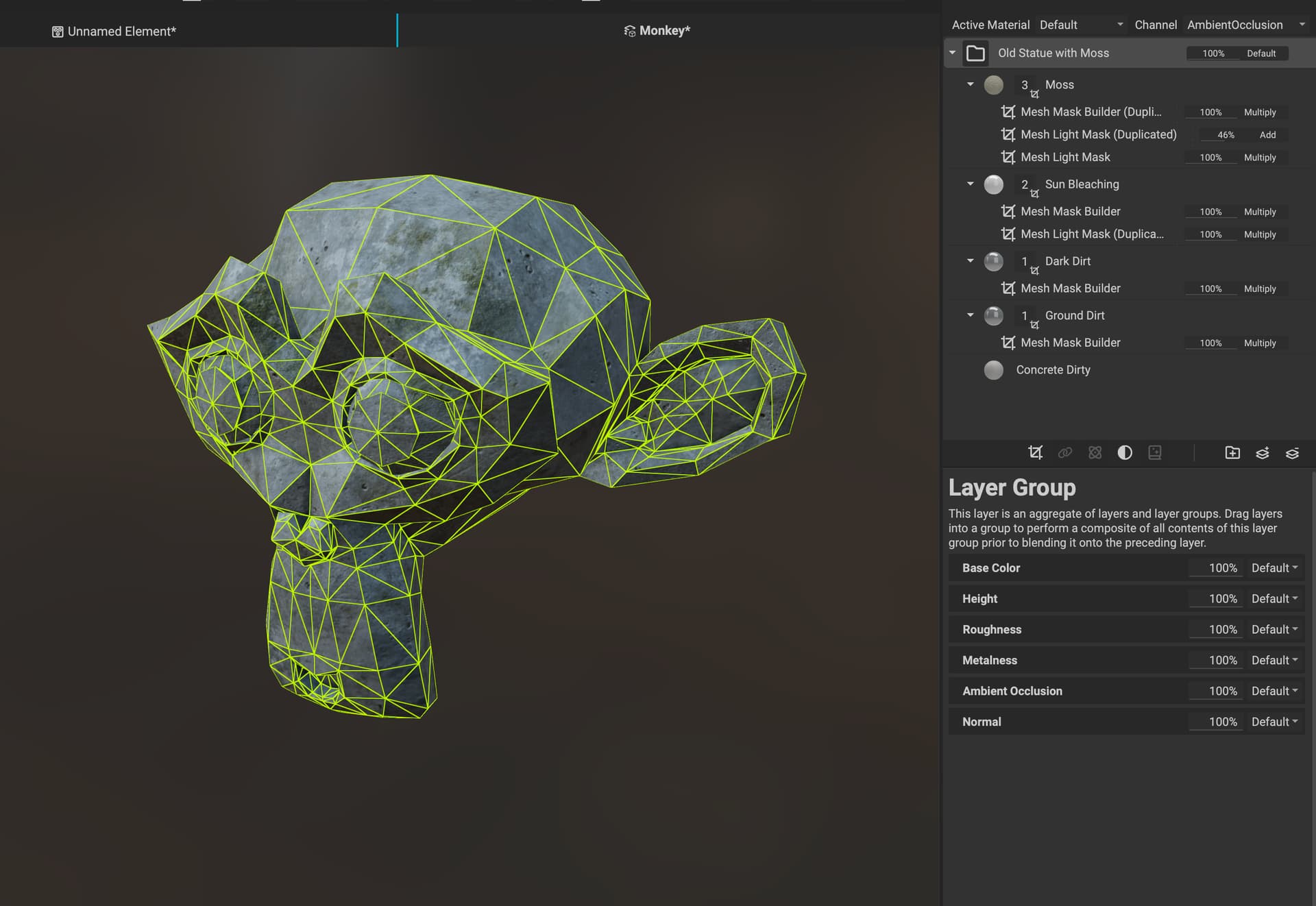
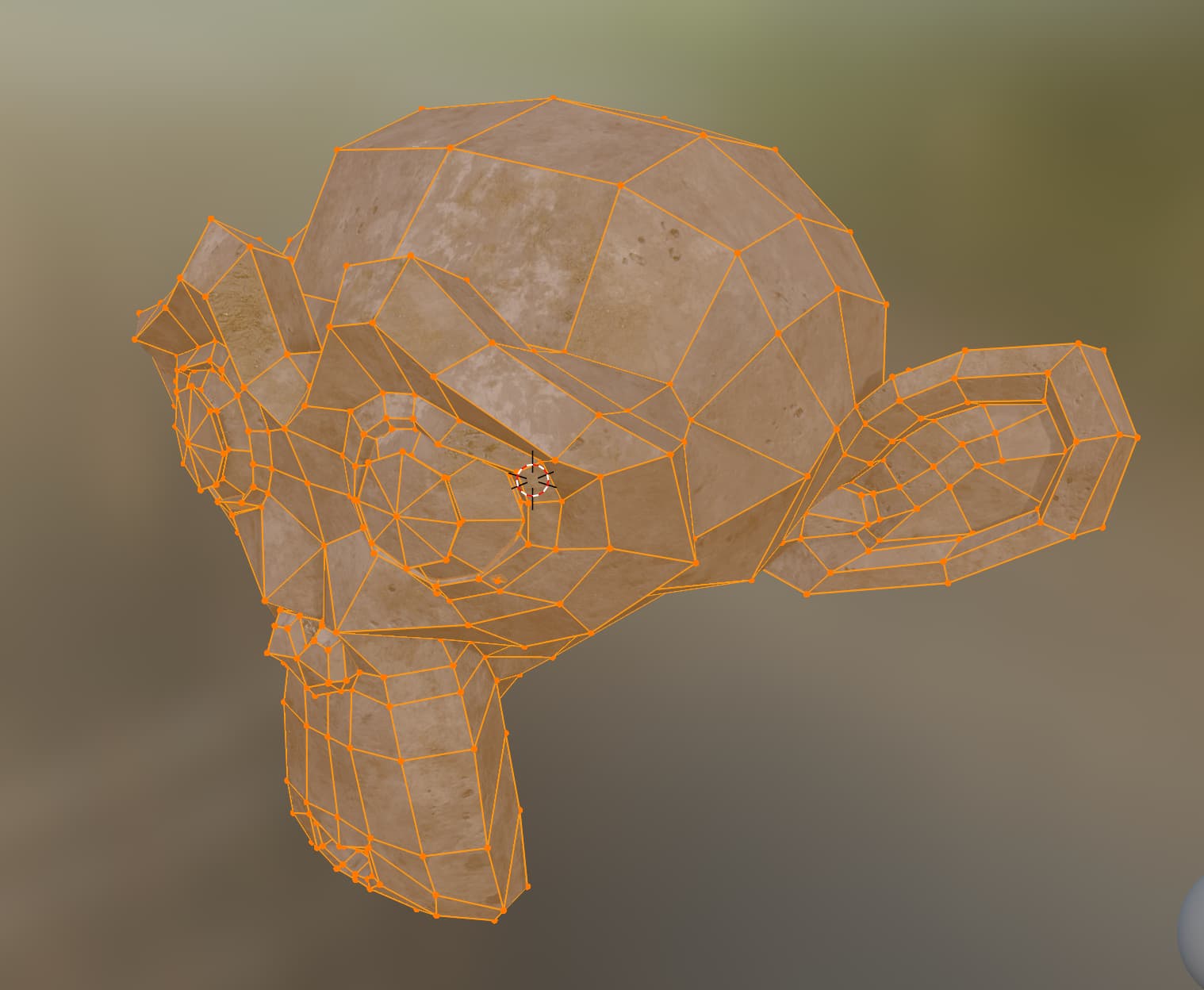
InstaMAT triangulates meshes when imported. However, if you aren’t manipulating the UVs of the mesh in InstaMAT, you can texture the mesh in InstaMAT, and the texture maps should work with the original quad-based mesh in Blender. The important part is that the UVs stay the same.

Here’s the Asset Texturing project in InstaMAT:
CleanShot 2025-12-22 at 10.27.06@2x

Here’s the exported maps in Blender:
CleanShot 2025-12-22 at 10.23.06@2x

If you are unwrapping the UVs of meshes in InstaMAT, however, the mesh will be triangulated.

2 Likes

Hello Pixby,

Thank you for your quick reply.

I had actually already tested your workaround, but I originally wanted to create the UVs in Instamat because they look a little better with organic shapes than in Blender.

It would be great if we could also work with a quadrified mesh in Instamat in the future. :blush:

1 Like

Hello @ZUMMARS,

Thanks for mentioning! Glad to hear that you’re liking the results of the unwrapped UVs in InstaMAT. I’ll be sure to pass along your feedback about quadrified meshes to the team!
Thanks again!

1 Like