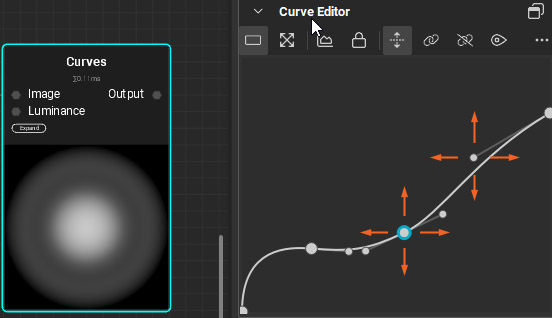
It would be nice to be able to move control points and handles with keyboard directional arrows. (See image)
Justification
Fine adjustment
It would be nice to be able to move control points and handles with keyboard directional arrows. (See image)
Fine adjustment
Thanks @tractbsa for your feature request.
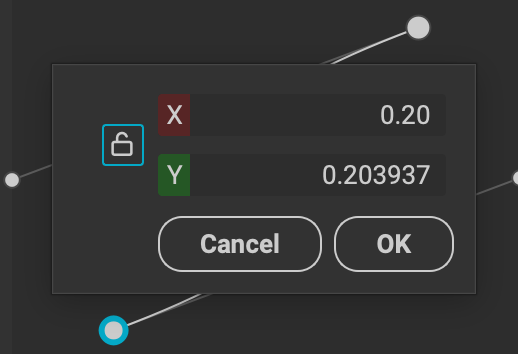
@tractbsa As a workaround, I also wanted to mention that you can double-click the points to open a pop-up where you can enter values for further control.
Hi @Pixby , thank you! I didn’t know that.
I don’t find it to be very practical though. Depending on the placement of your control points or handles, as you see it can hide what you want to adjust. If this pop-up window could be moved around it would be better, but it’s fixed.
On the other hand you only see the result when you confirm. So you have to start over if you want to adjust again.
This also happens with the sliders, as the other video shows. When you access numerical input. clicking the pencil icon, if you increase/decrease values with directional up/down arrows on your keyboard, you get no visual feedback while you do so. It only shows when you confirm.
It would be good to have this visual feedback while you adjust, like with sliders. If sliders would not start to stutter after a while, which happens to me, maybe I wouldn’t have noticed it so much though.
@Pixby Additionally it would be useful to be able to zoom into the curve in the Curve Node, like you can for example in Photoshop, Inkscape, Illustrator or others. Otherwise it’s hard to adjust control points and handles well when they are close. Thanks!
@tractbsa Thanks for the suggestion — we’ll add this to our radar.
Hi @DrDro2 ,
Thank you for your reply! 
Happy to hear that. Being used to other apps that work with bezier curves and paths, it probably might be welcome by other users as well. Thank you for Instamat! It’s hopeful to see how it is growing.
Now that I remember.. Is there a way to disable the floating coordinate values info that follows the mouse pointer while you move it over the curve editor? Otherwise it could be another improvement.
It gets in the way, covering things, when you try to adjust control point handles which are on the right side of the point, if the handle is close to the control point.