Hey there.
So I created a custom atom that would probably be useful as a layer effect or filter. I can’t get the custom items in my library to appear in the layer effects library or the filters library. I’m not sure if I’m doing something wrong. I’ve tried it as part of an element graph, but it won’t appear. It still works as part of the material layer in the graph (either as an atom or a graph node), and I can drag the atom or node into the layer stack, but they just appear as element layers.
I also tried it as a cooked package but no joy. Are there any instructions for adding a custom filer or effect to the user library? I haven’t been able to find anything.
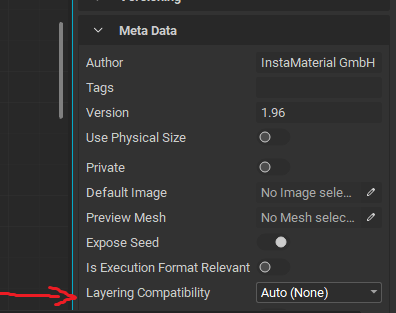
 The workflow was confusing me without knowing about that Layering Compatibility setting. I knew it had to be somewhere.